cheat engine怎样操作使用?cheat engine操作使用的方法
时间:2026-03-02 | 作者: | 阅读:0cheat engine怎样操作使用cheat engine操作使用的方法
先打开Cheat Engine(ce修改器)
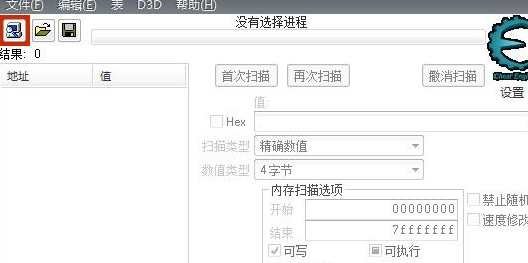
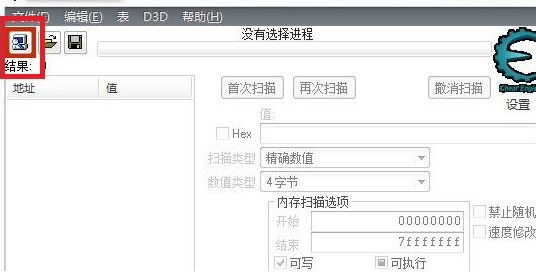
打开隐藏.隐藏CE修改器,进入自己玩的游戏,这时进游戏后打开CE的最左上边的小电脑
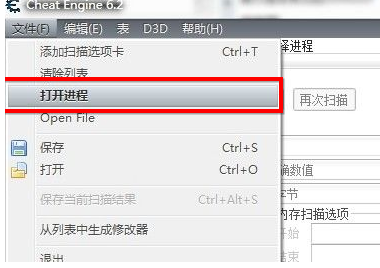
“文件”菜单->“打开进程”->打开MAIN进程(M开头有数字的)
输入当前的敏捷如:555(在HEX栏输入)
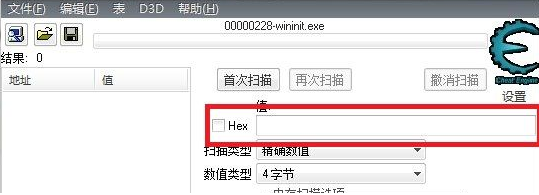
接着点首次搜索.弄好后左边出现一大堆(RP好的只有一个,跳到9步)
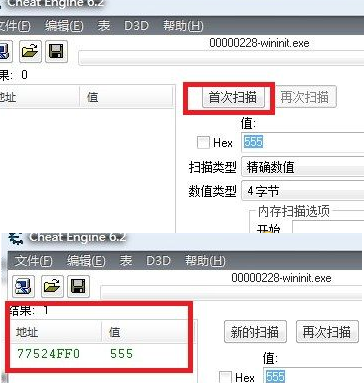
加几点敏捷,再输入自己当前的敏捷如:558 点再次搜索
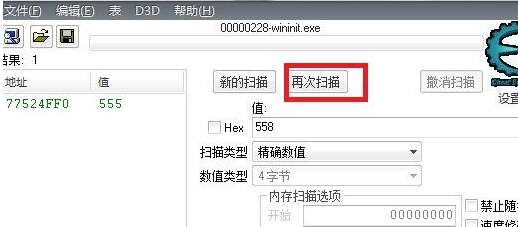
这次只有一个数据了,双击它,它会出现在下面.双击它的数据值,改成你想要的敏捷如:9999
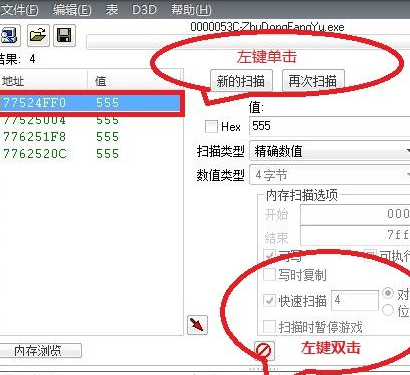
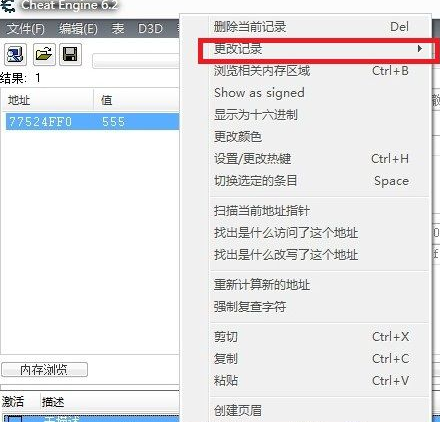
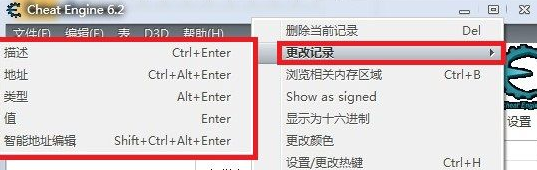
最后也可以右击上图的蓝色处,在右键窗口中选择“更改记录”然后您就能更改想要更改的东西了

来源:https://www.downza.cn/xy/175991.html
免责声明:文中图文均来自网络,如有侵权请联系删除,心愿游戏发布此文仅为传递信息,不代表心愿游戏认同其观点或证实其描述。
相关文章
更多-

- Cheat Engine怎么下载安装
- 时间:2025-09-11
精选合集
更多大家都在玩
大家都在看
更多-

- 植物大战僵尸2全植物获取攻略与解锁方法详解
- 时间:2026-06-20
-

- 植物大战僵尸2击杀鹦鹉技巧三招轻松通关
- 时间:2026-06-20
-

- 植物大战僵尸2通关攻略 巧用植物搭配轻松获胜
- 时间:2026-06-20
-

- 植物大战僵尸2西部第七关通关攻略与技巧详解
- 时间:2026-06-20
-

- 植物大战僵尸2绿色精华高效收集攻略
- 时间:2026-06-20
-

- 植物大战僵尸2机械牛打法攻略与通关技巧
- 时间:2026-06-20
-

- 植物大战僵尸2最强植物战力解析与实战排行
- 时间:2026-06-20
-

- 植物大战僵尸2西部关卡通关技巧与阵容推荐
- 时间:2026-06-20