scratch如何转换swf格式?scratch转换swf格式方法步骤
时间:2026-02-25 | 作者: | 阅读:0scratch如何转换swf格式scratch转换swf格式方法步骤

1.打开界面后进入flash文件在线转换页面
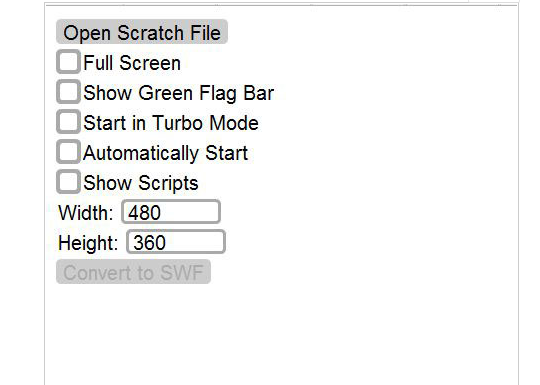
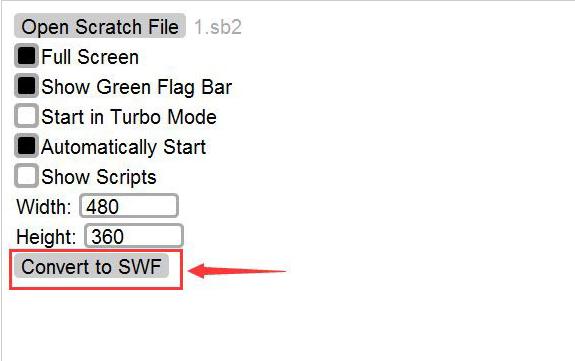
2.点击Open Scratch File选项选择需要转换的文件内容
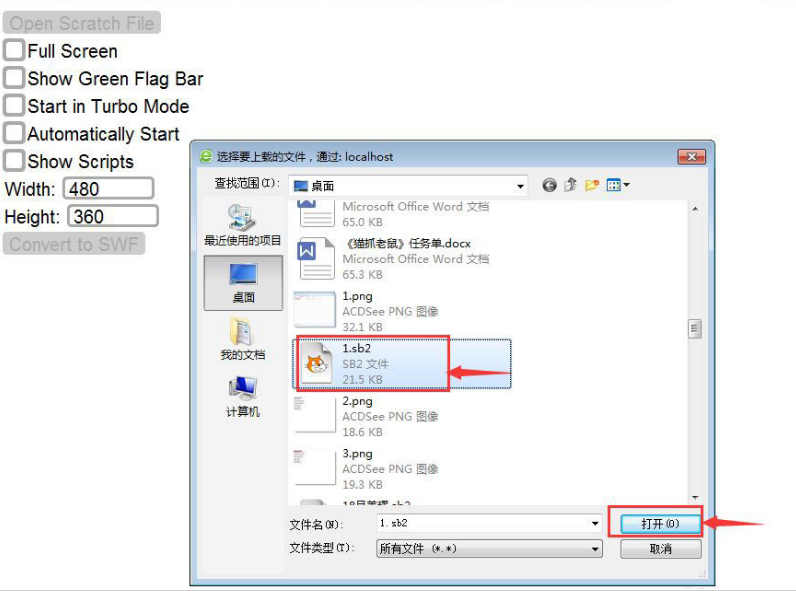
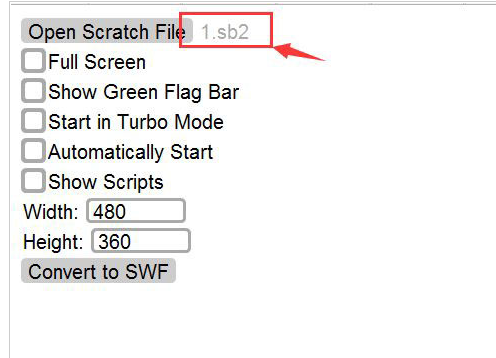
3.打开后的文件会在后方显示1.sb2字样
4.根据自己的需求设置高宽度
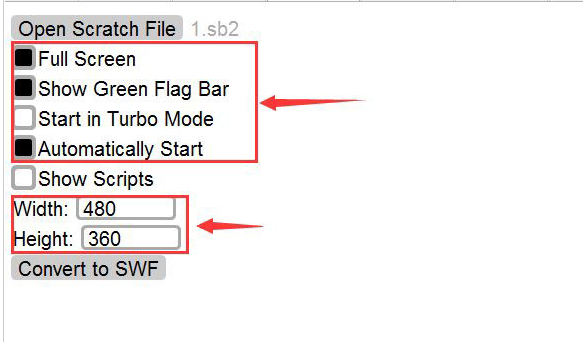
5.设置完成后点击Comvert to SWF按钮
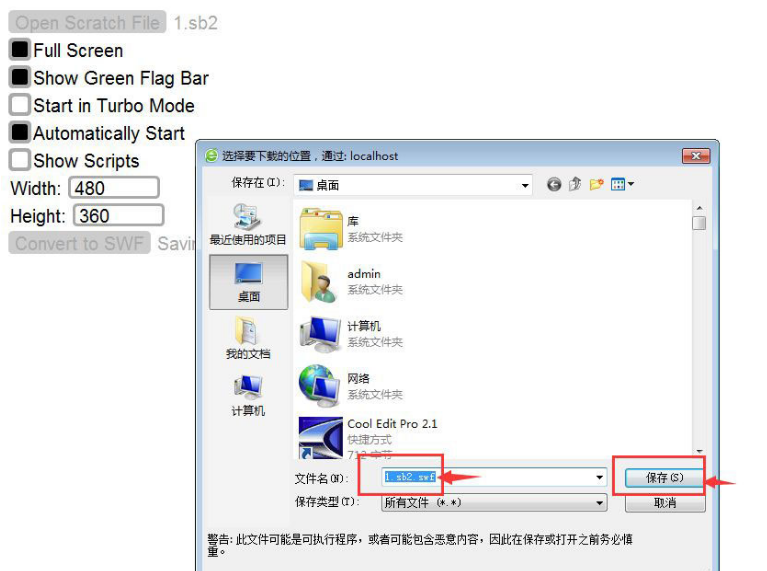
6.选择下载位置,修改文件名后点击保存即可完成转换

来源:https://www.downza.cn/xy/130158.html
免责声明:文中图文均来自网络,如有侵权请联系删除,心愿游戏发布此文仅为传递信息,不代表心愿游戏认同其观点或证实其描述。
相关文章
更多-
- scratch铅笔画线怎么设置?scratch创建铅笔角色方法介绍
- 时间:2026-02-10
-

- scratch文件怎么转换成exe?scratch设置可执行文件格式技巧分享
- 时间:2026-02-10
-
- scratch角色怎么改成蝴蝶?scratch制作蝴蝶变色动画技巧分享
- 时间:2026-02-10
-
- Scratch怎么制作漂亮的风车? Scratch旋转风车动画的实现方法
- 时间:2026-02-10
-

- scratch怎么控制角色移动
- 时间:2025-09-04
-

- scratch怎么制作秋千造型编程
- 时间:2025-09-04
-

- Scratch Desktop怎么编写程序
- 时间:2025-09-04
精选合集
更多大家都在玩
大家都在看
更多-
- 快手极速版如何解绑支付宝账户
- 时间:2026-05-17
-
- 快手极速版自定义快手号设置方法详细教程
- 时间:2026-05-17
-
- 惠普电脑安装 Windows 10 64 位系统详细教程
- 时间:2026-05-17
-
- 微星小飞机CPU监控显示设置教程
- 时间:2026-05-17
-
- 崩坏学园2魔女祈愿渴求之镰获取攻略与强度解析
- 时间:2026-05-17
-
- QQ飞车橘子臻选活动开启 限时获取稀有套装与座椅
- 时间:2026-05-17
-

- 限时召唤索拉利斯 潮汐守望者弈命魔牌概率提升
- 时间:2026-05-17
-
- 植物大战僵尸2新领袖强势登场无人能挡
- 时间:2026-05-17